
In this tutorial we recommend setting up an email carrier first, as this is the easiest method to finalize the roundtrip and actually process a (test) shipment.
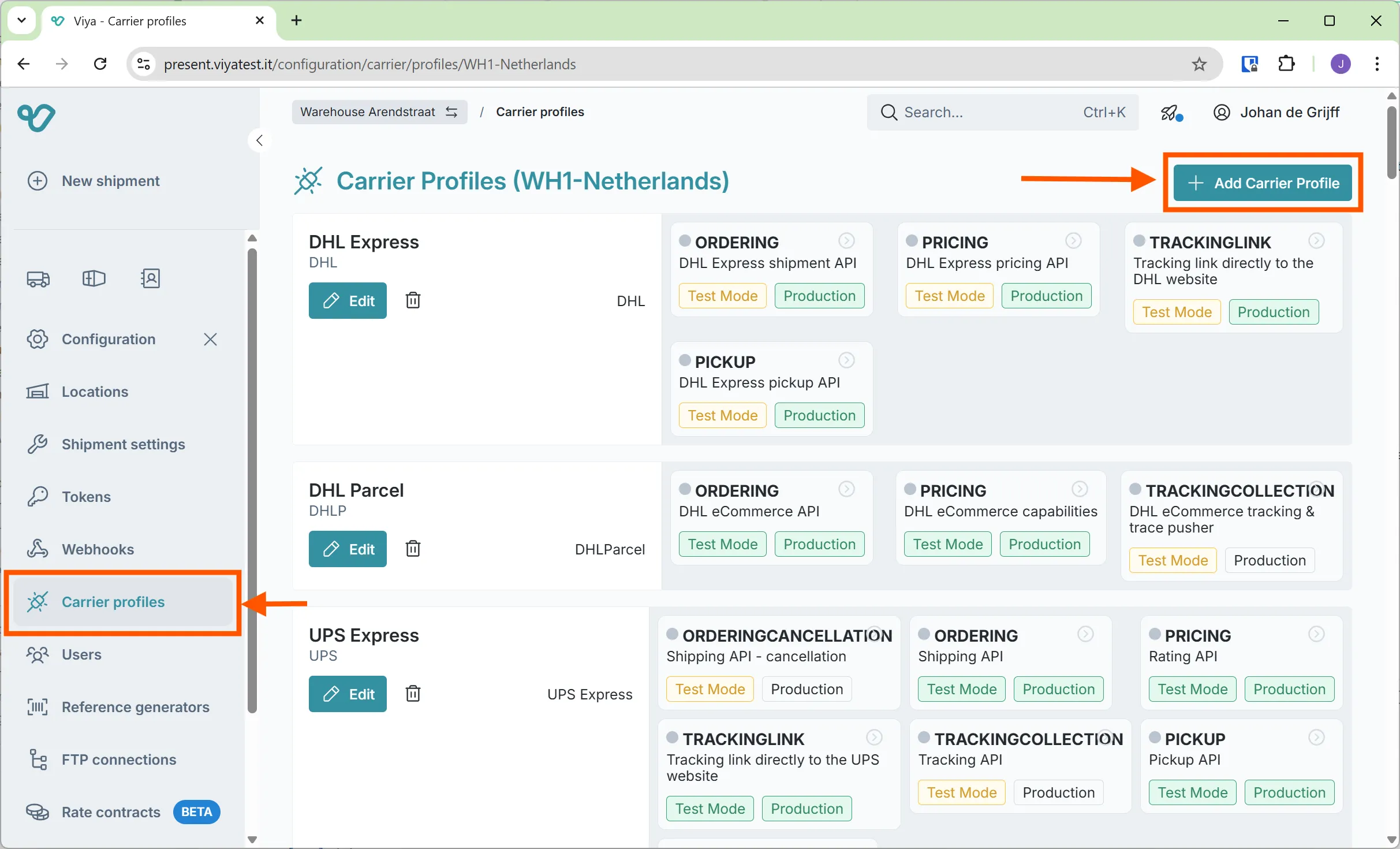
- Navigate to
Carrier Configurationsection in theConfigurationmenu. - Click
ADD CARRIER PROFILE +
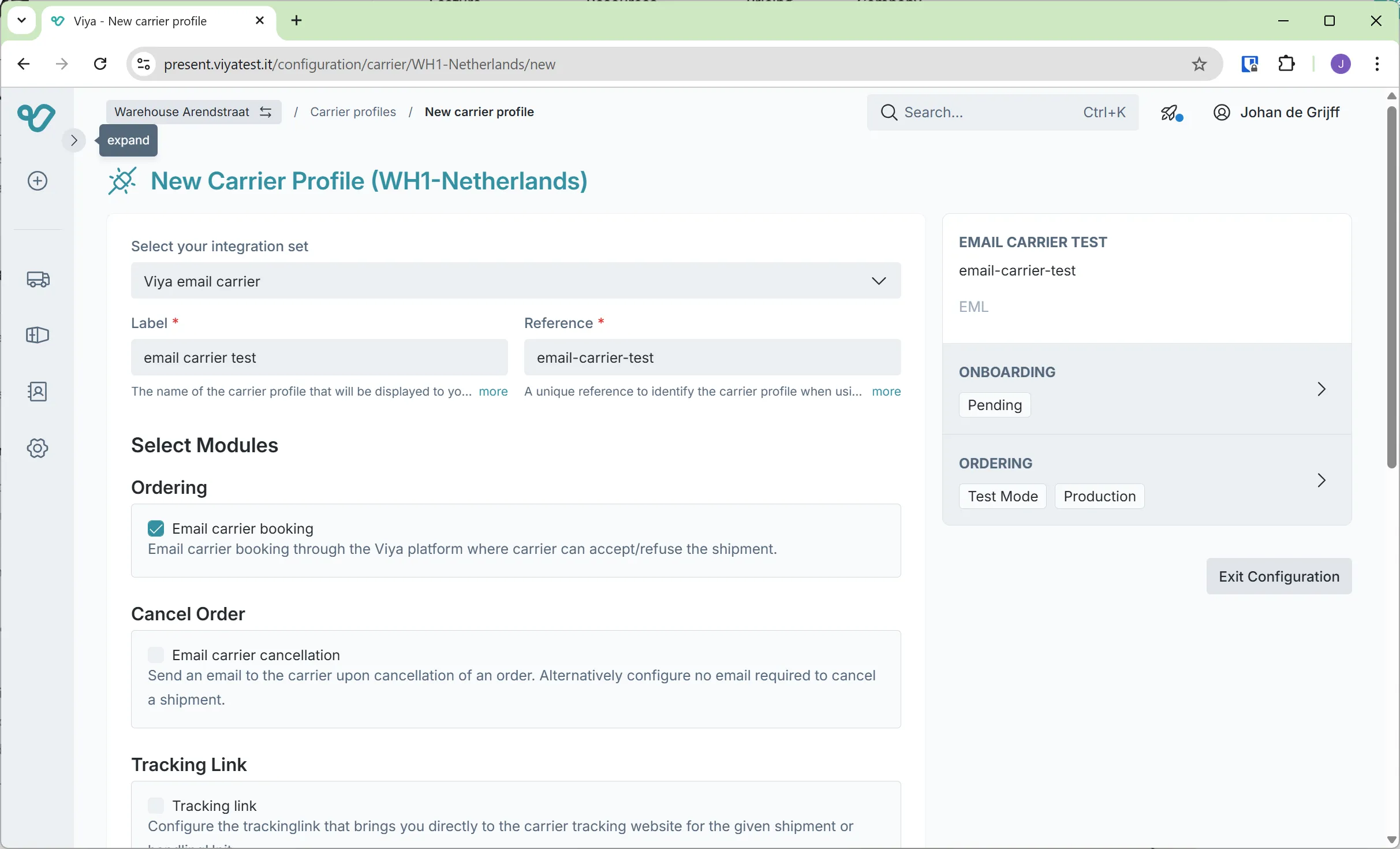
- Give your new email carrier a name and a reference and click
SAVE
- Enter the email address of the required receiver (for testing purposes you could enter your personal email address) and click
SAVE
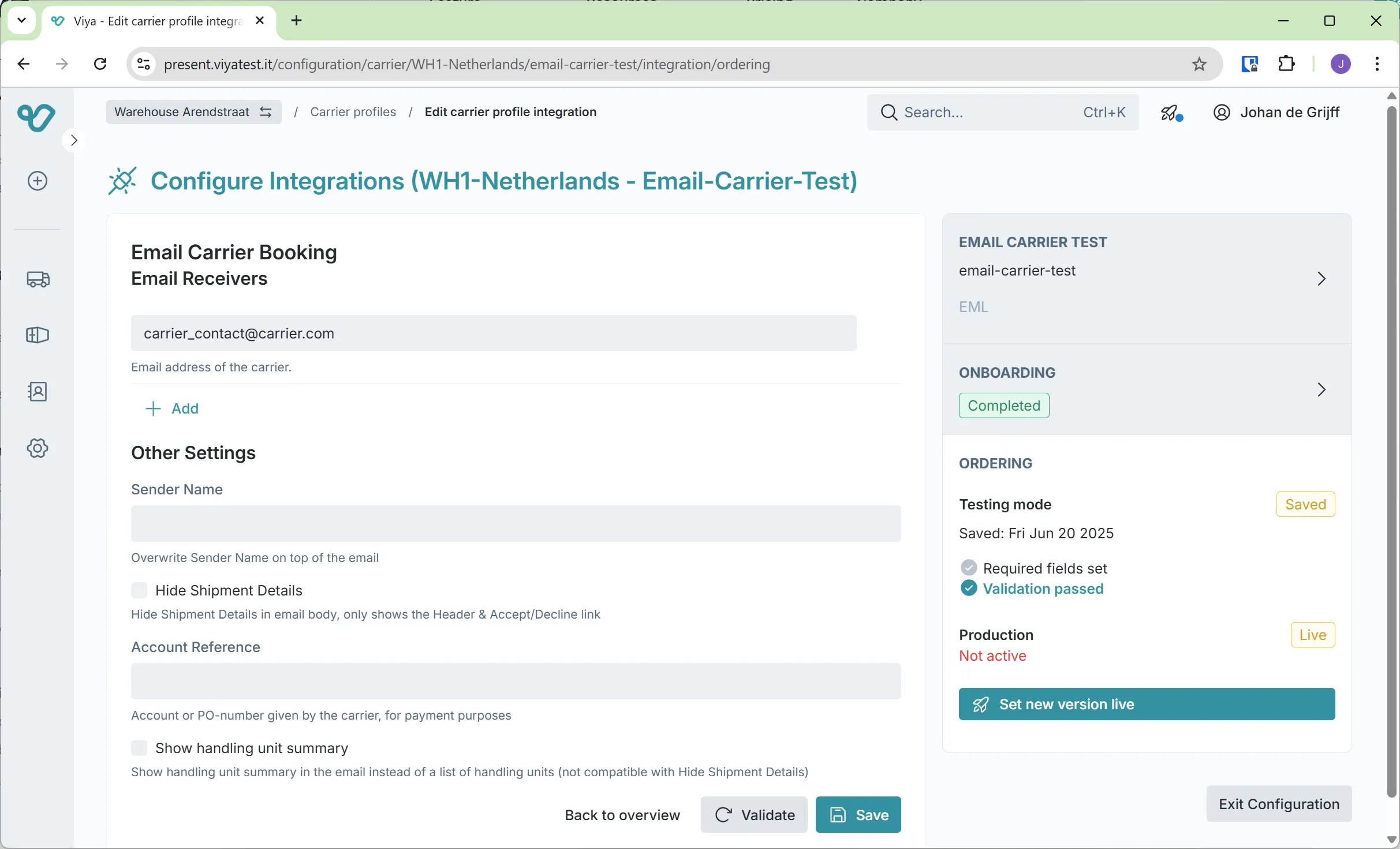
Your email carrier is now successfully created and ready to be used during the booking process. Upon shipment creation, you can choose this carrier which will lead to a booking message via email to the applicable email address.